
Printing Highly Confidential Documents ([Secure Print])
About Secure Print
Secure Print is a function that assigns document ID and password to print data and saves the data to this machine. This function does not print data immediately, thereby preventing printed materials from being missing or left.
You need to enter the document ID and password on the screen of this machine to print the saved data. Therefore, this function is particularly suitable for safely printing highly confidential documents.
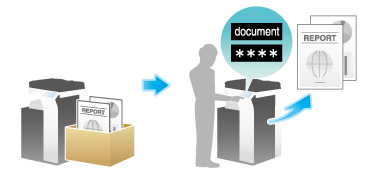

Setting Secure Print on your computer
Up to 40 documents or a total of 40 pages can be saved with Secure Print. You cannot save a document that exceeds 40 pages in a single job.
1
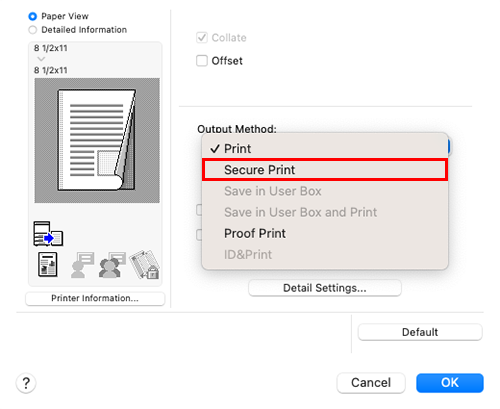
In [Output Method] in the [Output Method] window, select [Secure Print].
2
Enter the document ID and password, then click [OK].
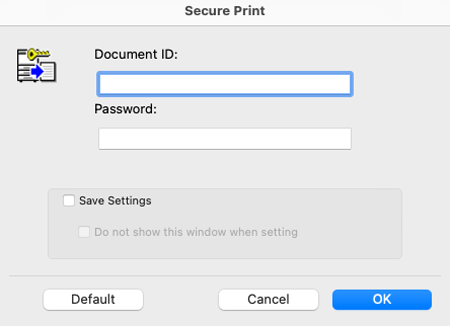
When the [Save Settings] check box is selected, the settings are saved. When the [Do not show this window when setting] check box is selected, this dialog box is not displayed next time. If you always use the same document ID and password, selecting this check box eliminates the need to enter them each time.
3
Execute printing.
The data is saved on this machine. Then, proceed to "Printing on this machine". For details, refer to Printing Highly Confidential Documents ([Secure Print]).

Tips
- You can issue a print instruction from the screen of this machine before print data scanning on this machine is completed. However, printing is executed after print data scanning on this machine has been completed.
 in the upper-right of a page, it turns into
 and is registered as a bookmark.